Monday, March 24, 2014

Assignment 5: Evaluating A User Interface

Tablet Evaluation
For this assignment we will be using the DECIDE framework to conduct an evaluation study of a tablet interface for a self-service checkout kiosk. The kiosk will offer a new type of restaurant experience to users, by allowing them to order and customize a meal without having to interact with human waiters.

Our high-level goal for this evaluation is to determine whether our new interactive menu design is more enjoyable or efficient for customers to use compared with the traditional way of ordering a meal at a restaurant, via a waiter.

We want to ask questions that will guide and help us reach our above evaluation goals. What are customers' attitudes to tablet devices? Are they comfortable with using technology? Is it obvious how the interface works? Figuring out how to order a meal should be a quick, simple, painless task. Users do not want to feel helpless or frustrated. We also do not want to scare away potential users from the restaurant who may be technophobes. 

To evaluate the above questions, we will conduct an 'in-the-wild' field study. A field study would be most appropriate for evaluating how people react and respond to this new, innovative way of ordering food. We can collect data by using both direct and indirect observation. Cameras will be positioned in discrete locations to record people's first reactions and impressions with the tablet. We will be able to observe how users try to learn how the tablet interface works. When they exit the restaurant, we can ask them to answer a survey regarding their experience in order to gain more data. The survey will include questions such as:
  1. What did you think when you first saw the tablets?
  2. How easy (or difficult) was it to figure out how to order your meal through the tablet interface?
  3. Were you comfortable using the tablets to order food today?
  4. Would you continue ordering food this way? Or would you prefer a more traditional method, such as talking with a waiter?
There are a few practical issues we have to consider before conducting this evaluation. We want to ensure that we involve as many different types of users as possible in our evaluation, so that we can get the most balanced data possible. We need to decide if we want to provide the users with help if they get lost in the interface. If we do decide to allow the users to have access to help, how can we do it in a way so that they remain unaware of the fact that they are being observed? A benefit of having users order from a tablet placed at each table is that we don't need to worry about the users moving from place to place; our cameras can remain focused on one area. Hopefully the members of our evaluation team have the ethnographic experience necessary to successfully perform an in-the-wild field study as well.

We want to make sure that we don't do anything wrong while conducting our evaluations. We could ask users to sign a consent form before participating, but doing so might alter their behavior since they may (rightfully) assume that they are being monitored in some way. Another thing we can do instead is to hide the participant's identity by replacing his or her name with a code or pseudonym that should be stored separately from our data.

Data


We asked users to rate their experience in three ways, all within a scale of 1-10: how easy it was to figure out and use the tablet, how comfortable they were with using a tablet, and how much they preferred (or did not prefer) using the tablet over a traditional waiter. We also asked users a couple of follow-up questions so we could better understand their ratings. As you can see from the data, the majority of people enjoyed using the tablet interface to order their food. Some of the comments we received from the surveys praised how enjoyable and slick the interface was to use. Menu choices were clearly visible, and nothing was hidden behind layer upon layer of expanding menus. Users also loved how easy it was to customize and pay for an order. However, other users were not as happy with the customization options available. They felt that they were restricted to whatever options were listed on the screen, and would have preferred being able to talk with a waiter so that their order could be to their exact specifications. A few users also missed the social interaction aspects of ordering through a waiter; they believed that it was an integral aspect of the whole experience of going out to eat.

For the most part, it seemed like our tablet interface design was a success. Users were happy with the way it worked, and were willing to use tablets over talking with a waiter to order their food. However, our observations and surveys revealed a few areas that could still use improvement. Instead of giving users a pre-selected list of customization options to choose from, we can instead offer them a text box with which they can specify how they would like their order.

http://is4300.weebly.com/assignment-5.html

Monday, January 27, 2014

Assignment 2: Design a Telepresence Interaction

My previous co-op was at Crosscheck Networks, a software development company located in Newton, MA that specializes in web services security. The company is made up of a small team of around fifteen people. While most of us physically commuted to the office everyday, we had one or two team members who worked remotely since they lived out-of-state. Other team members would work remotely as well if they were feeling under the weather, or had family business to attend to during the day. As such, I have personal experience working as a part of a development team that uses both physical and virtual methods of interaction in order to meet the communication needs of each team member.


My main responsibility at Crosscheck Networks was to fix whatever bugs in our code that were assigned to me. A few of the more difficult bugs required me to ask my teammates for help. Sometimes this would involve physically moving my feet and walking over to another developer's office or cubicle, and having a face-to-face conversation about what steps I should try next in order to solve a particular bug. Other times, the only team member who had any sort of familiarity with the bug I was assigned worked remotely. Therefore, virtual means of communication were necessary, such as shooting emails back and forth with each other. While emailing for help was better than nothing, I felt they were an inferior method of communication compared to face-to-face conversations. Emailing tended to be a slower method of getting help, and it was more difficult to get clarification concerning confusing nuances in the code. My supervisor favored using the instant messaging chat function included in Gmail when he had questions that could only be answered by a remote teammate, as well as other teammates. Unfortunately, I did not use that particular feature at any point during my co-op, and so cannot really offer any thoughts about it.

We held weekly engineering meetings to discuss the timeline for our product's next quarterly release, status updates on everyone's assigned tickets from the past week, which tickets each person should be working on over the course of the following week, and other miscellaneous goals that had to be met before that next release. Our out-of-state team members obviously couldn't fly to Newton every week to attend these meetings, and so we needed to find a way to still let them be a part of the discussions. My company's method of choice to allow remote team members to participate was the popular VoIP client, Skype. 


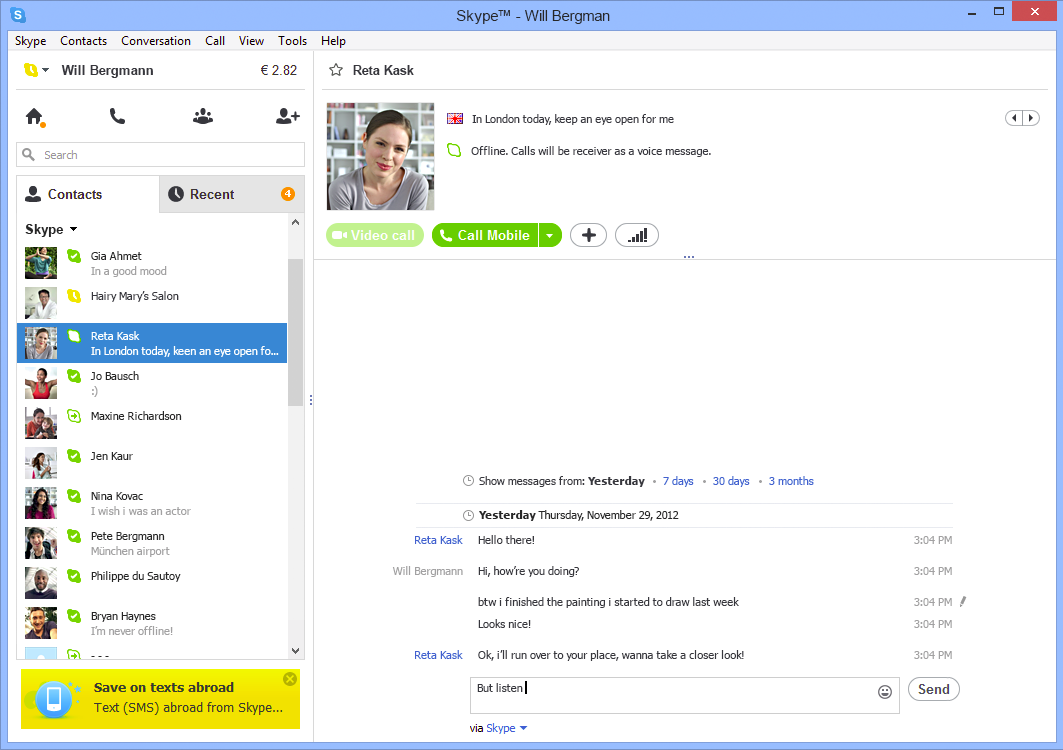
Skype was a "good enough" solution to this problem. Our remote team members needed to be able to take part in these weekly meetings, and Skype offered technology that enabled them to fill that need. Through the power of Skype, they were able to connect to our meetings and listen to whatever we were talking about. However, while Skype did in fact adequately address the main problem we had, it lacked in other areas. Our meetings were often delayed due to technical difficulties in setting up a Skype session for the other members to connect to. The audio quality was inconsistent; there would randomly be times when it was near-impossible to understand what the people connecting into the office were saying, and vice-versa. Skype was useless for remote team members whenever a visual presentation was part of a particular meeting. The quality of the webcams we had were not good enough to accurately make out the visuals. Our getaround for this hiccup was to email a copy of the presentation beforehand to our team members who were Skyping into the meeting. This way, they could go through the presentation themselves and follow along with whoever was in charge of that particular presentation. Finally, there was always a slight delay between what had been said and what was heard. 


There is definitely no comparison between Skype and actual face-to-face conversations; face-to-face conversations are hands-down superior to Skype (although I definitely prefer Skype conversations to phone conversations - the added visual component with Skype is a huge boon). As mentioned above, the delay in saying something and having that something heard by the opposite person really ruins the flow of conversation, especially if you and your conversation partner also have to deal with poor sound quality on both ends. Trying to make eye contact can also feel a bit awkward since looking into either the webcam or the computer screen doesn't necessarily mean you will actually be looking into the other person's eyes. Using Skype requires us to get over the disconnect in what we would expect versus what the actual reality is, at least when it comes to trying to make eye contact. Another thing that Skype is missing compared to face-to-face conversations is the possibility to have physical contact with the person you are talking to, an important aspect for any conversation. Skype also has the same downfall as email -- it is much more difficult to receive help through these virtual means (but to be fair to Skype, its screen-share feature does make doing so much easier).  


Despite my criticisms of Skype, I actually do think it's a well-designed program. The default color scheme is light, bright, and easy on the eyes. It makes me feel cheerier with thoughts of springtime whenever I use Skype. Advertisements, that necessary evil, aren't exactly hidden away, but they are not super obtrusive either. There are distinct borders between each section of the screen, clearly outlining and separating the different parts such as your contacts list, your chat history with a specific contact, or shortcuts to accept a contact request or add a new contact. The icons for each shortcut make it obvious to the user what each button's function is without being too busy or too vague, and they fit into the theme of the interface perfectly. I also really like the ability to filter the chat history by time period; it makes searching for old messages much simpler. I can honestly say I don't think the user interface falls short in any way.


If I were to design my own virtual collaborative workspace with full telepresence, it would combine the features of Skype and Smart Board. It would use a large, high-definition widescreen monitor equipped with the best webcam money could buy on both ends for the best possible viewing experience. The large monitor and the webcam would solve the problem of not being able to clearly make out visual presentations, since they would be blown-up and in crystal-clear quality. However, it would probably be a little weird for everyone else in the office to have a few people's faces blown-up to such huge sizes, staring at them from the monitor. My theoretical workspace would keep Skype's video conferencing, instant messaging, and screen sharing features. The combination of those three features already makes for a rather decent virtual workspace. You have the video conferencing to show off things visually and to carry on a pseudo-face-to-face conversation (not the best, but it'll do), the instant messaging to send files and website links quickly to one another, and the screen sharing to make reviewing each other's code much easier. In addition to all of these features, I would add the technology from Smart Board to enable user's to 'draw' on their screens. Being able to draw on a screen to highlight certain areas, or just to have a quick and easy place to think on a board, is one of the most useful innovations of the 21st century. I truly believe such a workspace would make coding collaborations and meetings more useful. Best of all, it can easily be built with existing technology. The last tweak I would make is to require high-speed Internet cables between the two users, to minimize auditory and visual lag as much as possible, and to maintain consistently clear sound quality.

Sunday, January 12, 2014

Assignment 1: Explore Usability and User Experience


Galaxy Nexus


The Galaxy Nexus is a touchscreen smartphone developed by Google and Samsung. It is an interactive device designed for all user groups, and is intended to be used as a mobile phone with extra functions such as media playing, Internet browsing, video recording, and GPS navigation.

I enjoy the Galaxy Nexus's slim and lightweight profile. It fits comfortably in my hand and front pants pocket, and the device's two buttons (one each on the left and right sides) are easily accessible regardless of which hand I am using to hold the phone. I prefer putting my phone upside-down in my pocket, so I think designing the headset jack to be on the bottom of the phone was a good idea. This design choice allows my phone to stay aligned with the bottom of my pocket, instead of awkwardly resting on top of my headphone's plug. On the other hand, I think putting the micro USB port on the bottom was a bad idea. I was using my Galaxy Nexus as a GPS navigation system in the car and found that it was impossible to prop it up on the dashboard if I also wanted to use my car's USB port to charge the phone at the same time; the phone would just fall off since it couldn't balance on top of the charging cable. 


A device's design can be objectively judged to be "good" or "bad" based on how many usability and user experience goals it meets. Usability goals are defined as effectiveness, efficiency, safety, utility, learnability, and memorability. The Galaxy Nexus works great as a mobile phone, its main function. Calls can be picked up or ignored with a simple swipe of your thumb, and volume can be adjusted on-the-fly via the volume key. Its other functions are performed through apps. These apps can be easily accessed with the three keys at the bottom of the screen, and the center button in the row above those three keys. The Galaxy Nexus already comes prepackaged with a wide array of functions, but for the user who needs more, additional functions can be added by downloading more apps from the Google Play store. The use of the buttons and the touchscreen should come easily to anyone familiar with current finger gestures and phone hardware. The touchscreen is responsive to the appropriate gestures for scrolling up and down, zooming in and out, swiping left and right, and selecting buttons. It is a fun experience and is a joy to use. To these ends I can safely say that the Galaxy Nexus's design is "good".


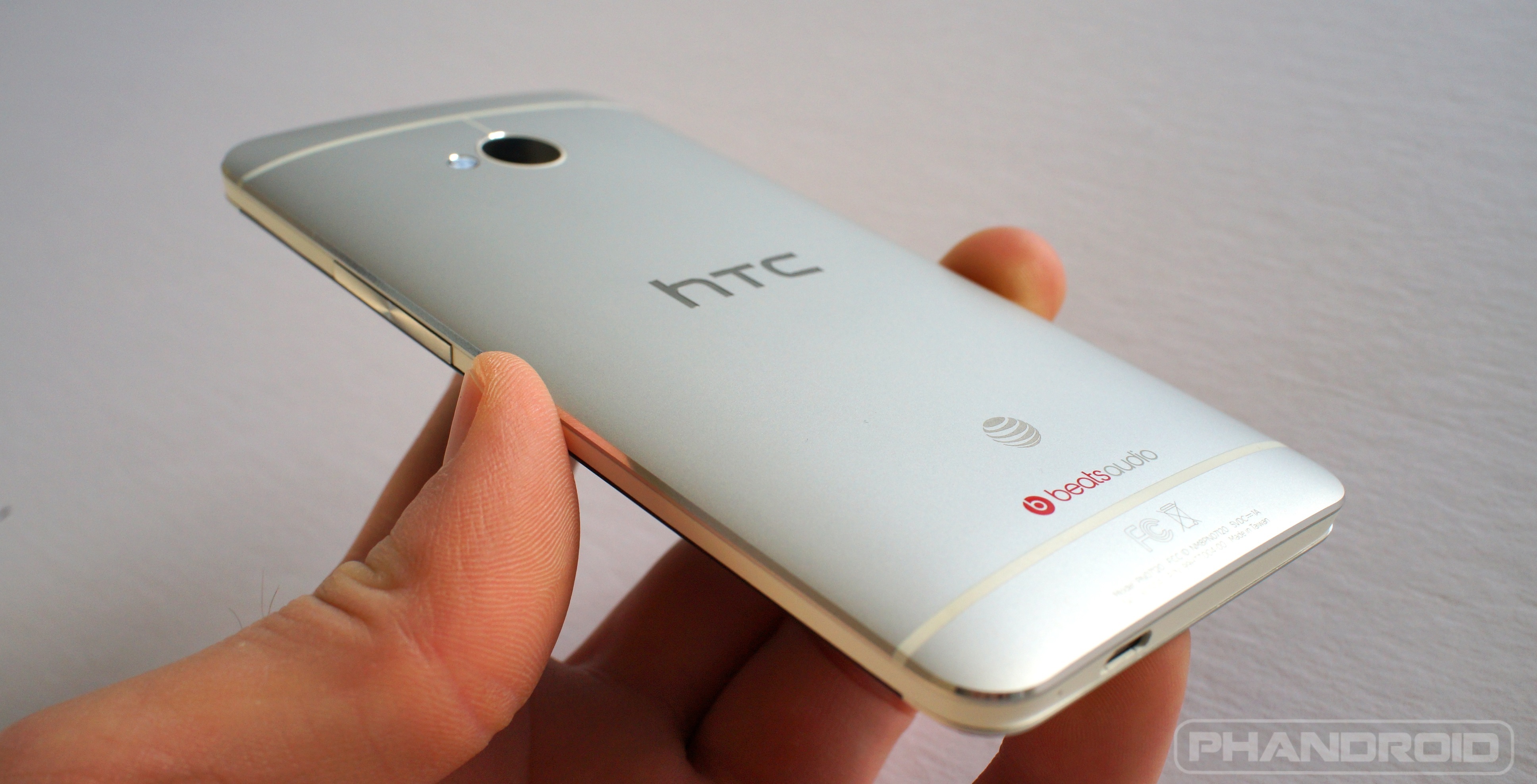
Despite its "good" design, there are still trade-offs that had to be made when developing the Galaxy Nexus. Besides the location of the USB port, the speakers on this phone are lacking as well. Speakers are often an afterthought, and it shows on the Galaxy Nexus. They are extremely quiet, even when set to the highest volumes. It is one of the few disappointments I have with the design of the device, and hopefully future iterations will improve on that issue. The design can also be improved with a bigger screen, in order to more fully enjoy any videos I watch on the phone, or by using an aluminum frame for the case, similar to the HTC One. An aluminum will give the device a more premium feel, and will protect it from falls better than the plastic used for the Galaxy Nexus.